Free
Recite and record, always free.
€0
- Live listening
- Unlimited recording
- 4 Modes: Natural, Taraweeh, Haramain, Tarteel
- Guided settings
- Khatma: progress kept, with “mark as read”
- Mushaf
- MP3 sharing of a Take in a free Mode
On Android, iPhone, iPad and Mac, listen live with mosque-inspired Modes, record your recitations, then refine the sound with simple or advanced controls.
Wired headphones or compatible audio output · Available on Android, iPhone, iPad and Mac
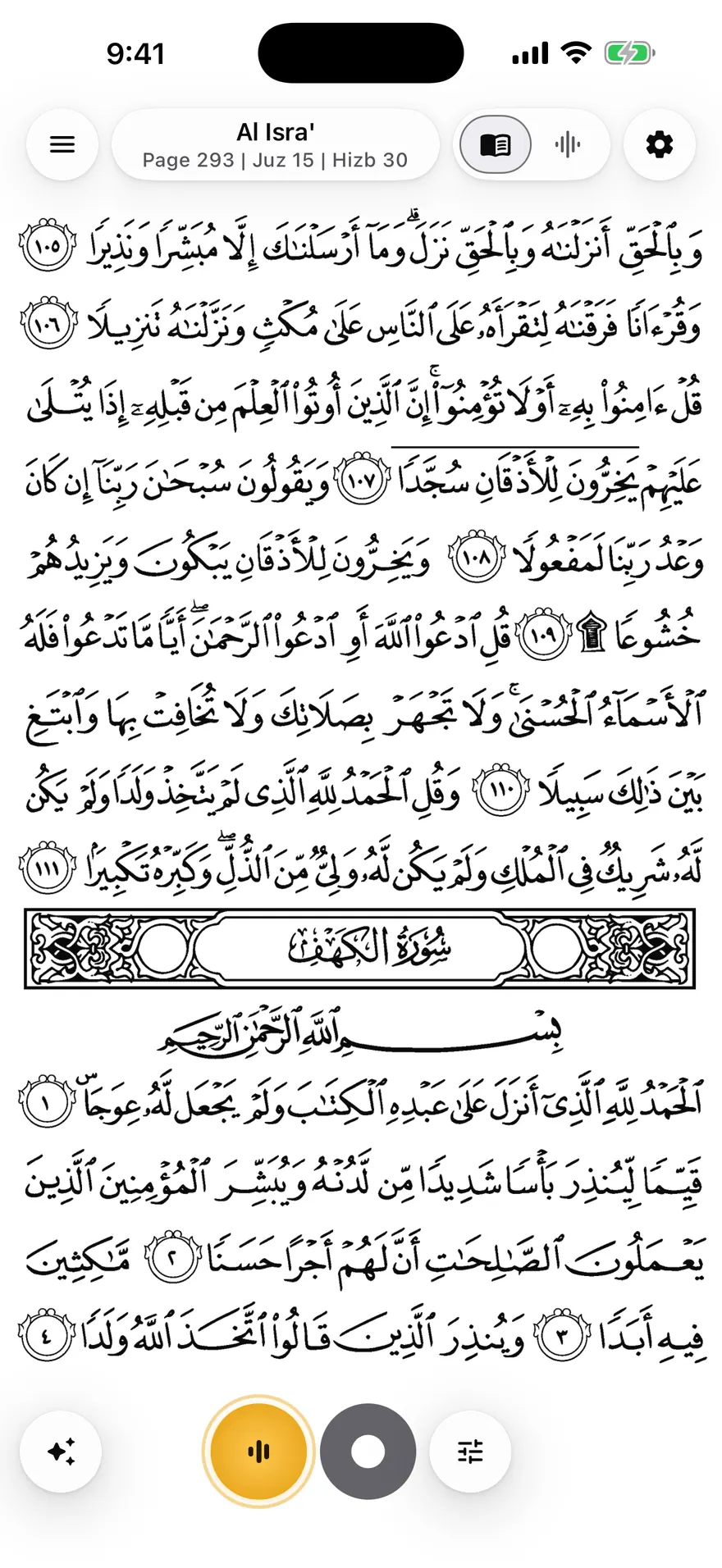
Mubayyen applies the selected Mode rendering to your voice. Hear yourself live, replay your recordings, open advanced mode settings and create your own modes, from Natural to more spacious modes.
Hear your processed voice live with a compatible output. Bluetooth is not used for direct listening because of latency; it remains suitable for recording without audible return and replaying.
Recording is free and unlimited. Your Takes are stored losslessly in a compact format, so more recitation fits on your phone. Find them in the Library and play them back.
Follow your progress by Juzʾ, Ḥizb and Surah, even without recording: just mark what you have read. Resume where you stopped and attach your Takes to each part.
Read page by page. The Ḥafṣ Mushaf downloads in the background (Al-Fātiḥa is available right away) and optional editions such as Warsh, Qālūn or IndoPak can be added.
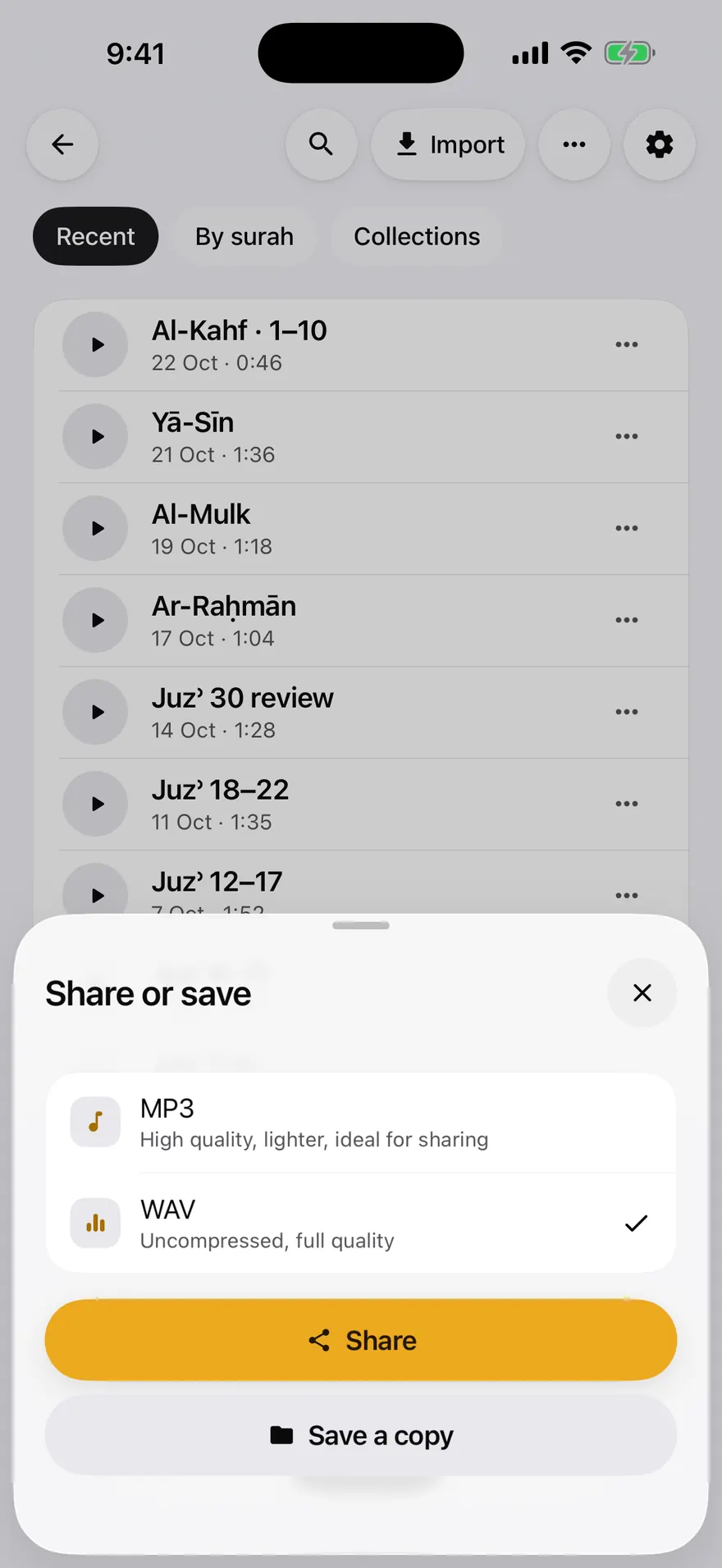
Share or save one or several Takes, or a whole Khatma or collection as a folder. MP3 files are named and tagged (title, passage, Mode, cover). Pro adds uncompressed 24-bit WAV.
Your recordings stay on your device. An excerpt is sent to support only if you explicitly choose it in an audio issue report, and it is deleted automatically after 30 days.
Start with simple choices for voice and space, then refine every stage of the sound. Reverb and reflections create a natural sense of echo while keeping the recitation true to your voice.
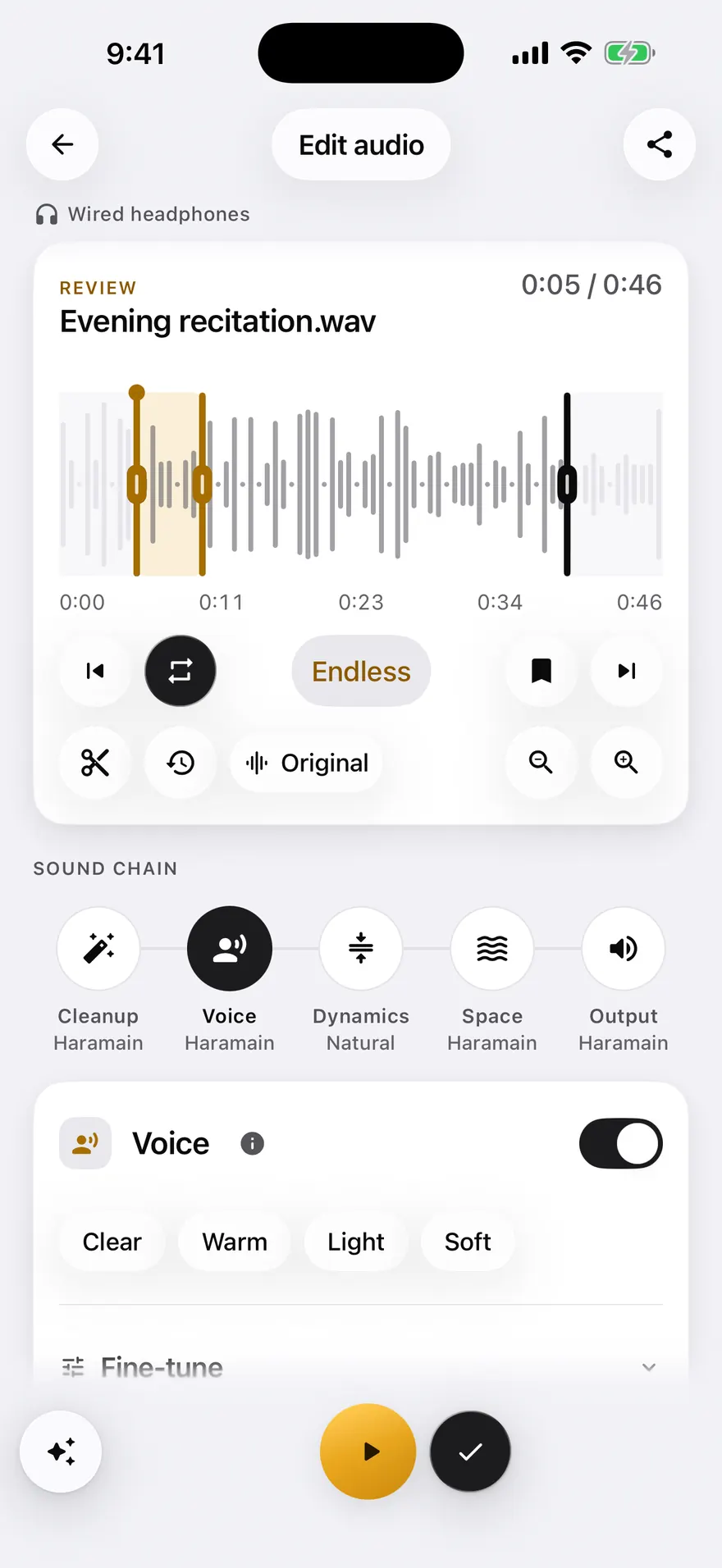
After recording, the Edit take screen shows the Mode applied. Tap Voice, Space, Scene or Finish, pick a character such as Clear or Warm, then compare with the original before saving the take.
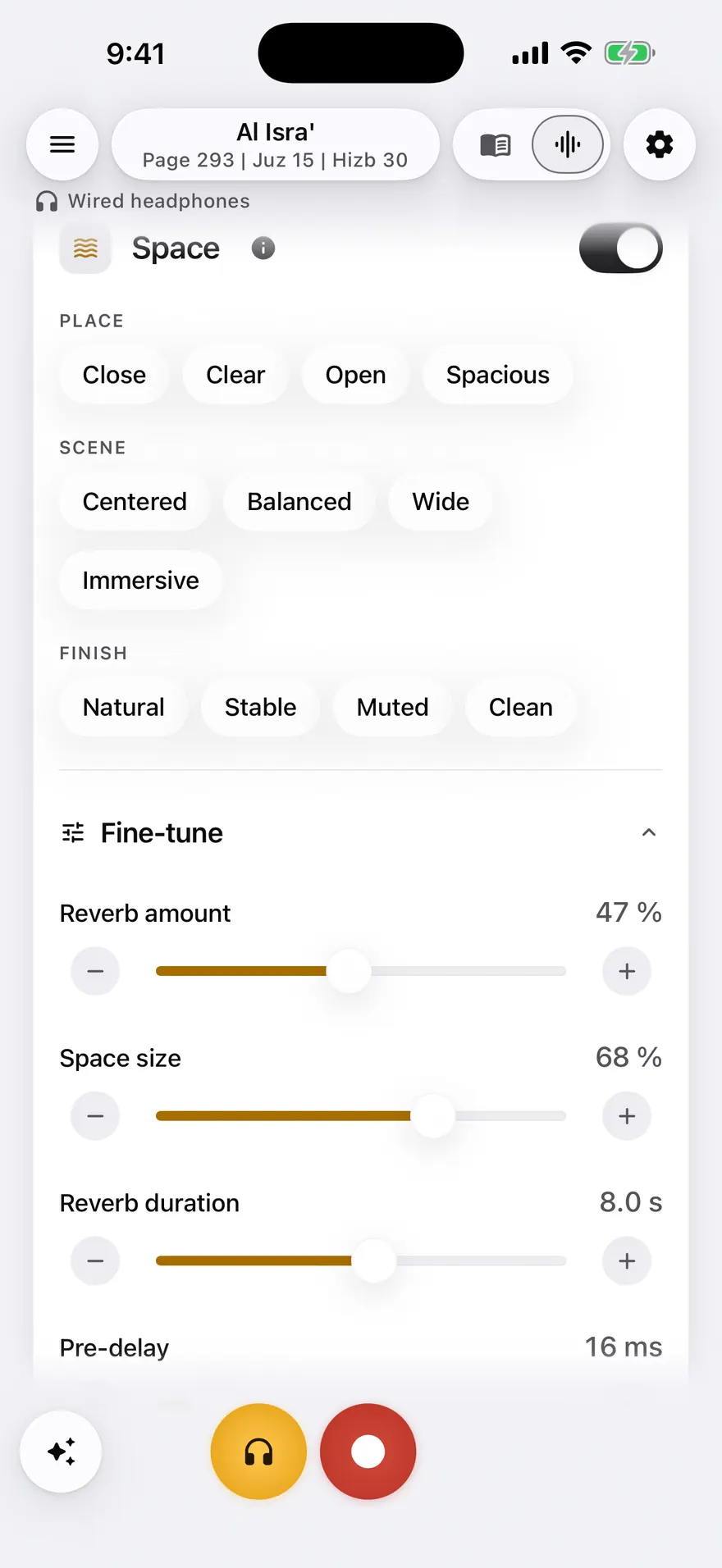
Advanced settings lay out the processing chain in tabs: Cleanup, Voice EQ, Compression, Reverb and Output. Adjust amount, length or room size with sliders, then save the result as your own Mode.
The Library lists your takes with their date, length and the Mode used. Search by title, sort the list, replay in the built-in player, then share or save a copy.
On tablet and Mac, the Mushaf opens as a two-page spread, like a physical mushaf, while sound controls get all the space they need.
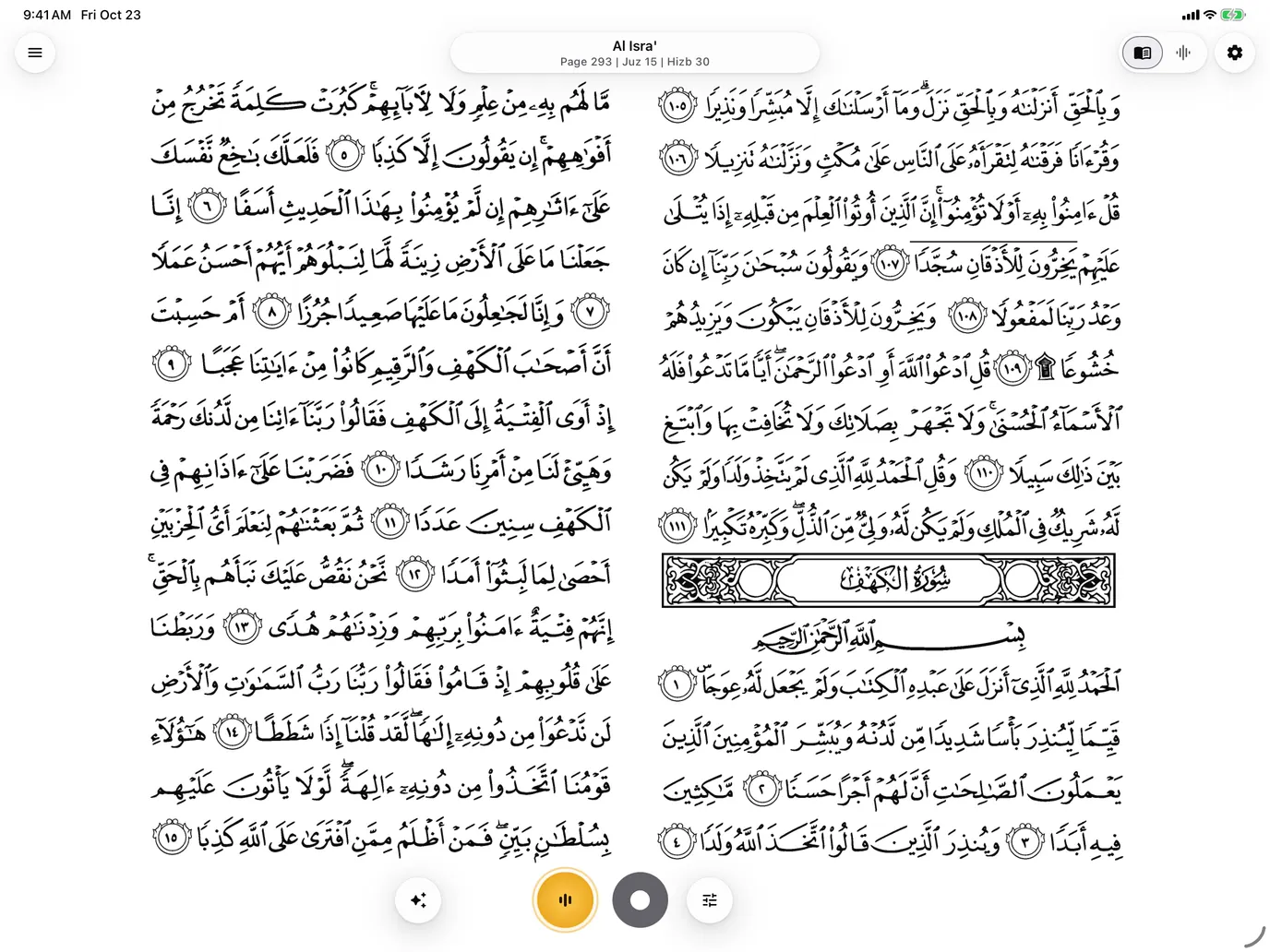
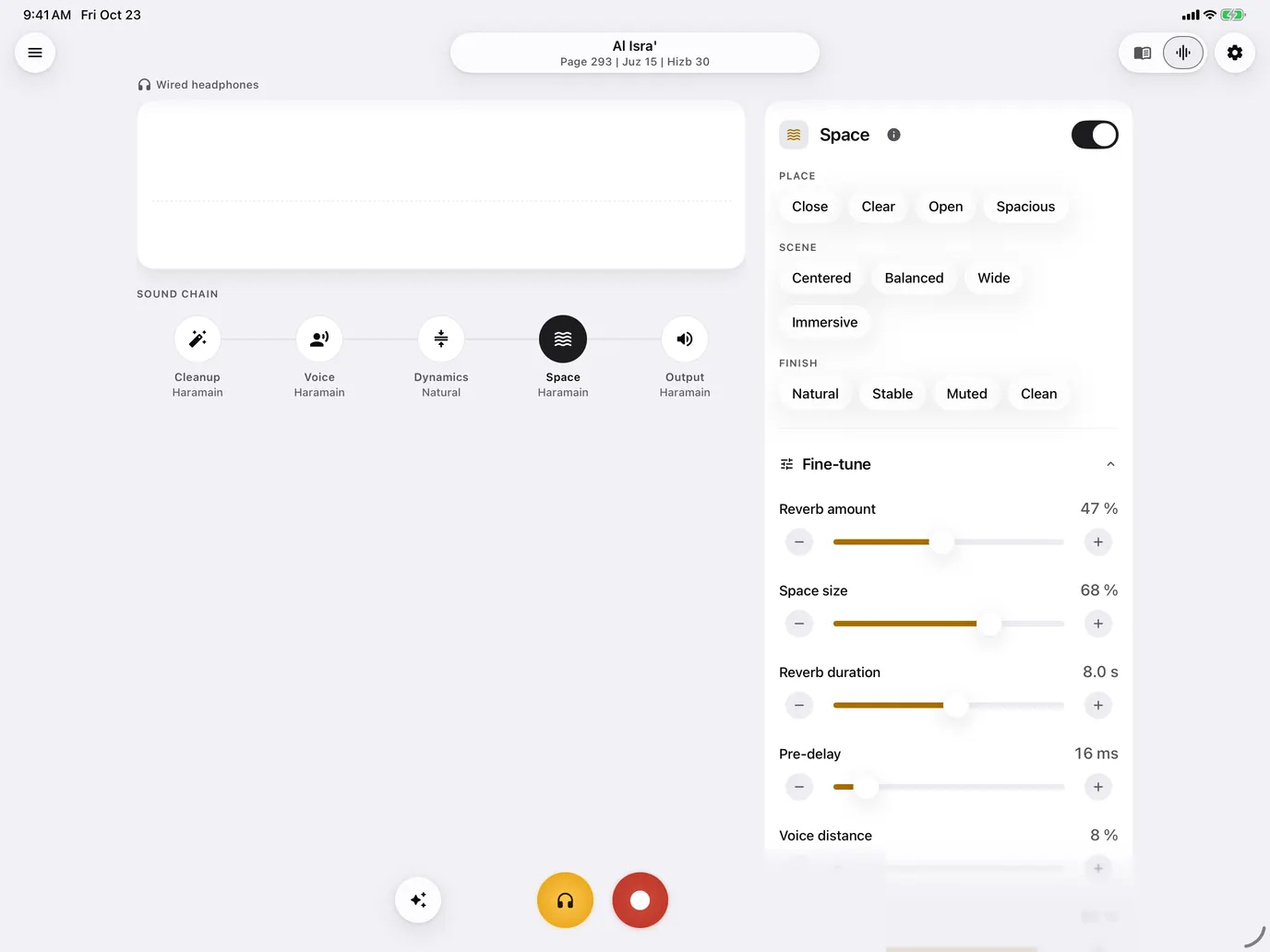
Reciting, listening live and recording are free, with no limit. Pro adds the Studio: editing your Takes, all ten Modes, advanced settings, audio import and WAV export.
Recite and record, always free.
€0
The Studio to rework your Takes.
€4.99per month
€24.99per year
just €2.08 per month
| Compare plans | Free | Pro |
|---|---|---|
| Live listening | Included | Included |
| Unlimited recording | Included | Included |
| Khatma and progress | Included | Included |
| Mushaf | Included | Included |
| MP3 sharing of a Take in a free Mode | Included | Included |
| Modes | 4 | 10 |
| Guided settings | Included | Included |
| Editing Takes (Studio) | Not included | Included |
| Advanced sound settings | Not included | Included |
| Import audio files | Not included | Included |
| Higher-quality export | Not included | Included |
No ads and no hidden subscription. Audio stays on your device unless you explicitly attach an excerpt to an audio issue report.
Mubayyen is available on Android phones and tablets, iPhone, iPad and Mac. For direct listening, connect a compatible audio output. On mobile, use a real output connected to the device; on macOS, a dedicated output is required. For a cleaner listening experience, choose a quiet place away from surrounding noise, then recite in your real recitation conditions.
On iPhone and iPad, use a compatible audio output connected to the device to hear your voice live with stable return.
On Android phones and tablets, use a recent device with wired headphones, a compatible audio output or a compatible audio interface for the best result.
On macOS, use a dedicated output: wired headphones or earphones, line out, a DAC, or a dedicated audio interface. Internal speakers, displays, HDMI/DisplayPort, hubs, docks, and USB-C multiport or charging adapters remain blocked.
Bluetooth and AirPods are not used for direct listening because of latency. They remain suitable for recording without audible return and replaying your takes.
Mubayyen applies mosque-inspired Modes to your recitation. You hear yourself live, record your Takes, edit them, share them, or save a copy.
Mubayyen is a Quran recitation app for iPhone, iPad, Android and Mac that records your voice with mosque-inspired reverb and echo. You hear the result live through a compatible audio output, then edit the take and export it as MP3, or as WAV with Pro.
Mubayyen records your recitation, or imports an audio file with Pro, then lets you change the Mode and adjust the voice and space. You then share the Take as MP3, or as WAV with Pro.
Plug in wired or USB headphones or an audio interface, open the Mushaf, pick a Mode and recite: you hear yourself live with the Mode’s sound. You can then record the Take, edit it and share it.
No. Mubayyen is an audio tool for listening to, adding reverb to and recording your voice: it is neither a tajweed-correction tool nor a replacement for a teacher. Before sharing a Quran recitation, make sure the tajweed rules are correctly observed.
Mubayyen is an audio tool: it adds listening, echo and reverb rendering to your voice without changing the recited text or correcting tajweed. It does not give religious rulings; for permissibility questions, ask a qualified person.
No. Mubayyen does not use autotune, pitch correction or voice transformation. The Modes create mosque-inspired acoustic rendering such as echo, reverb and space.
Yes. Choose a Mubayyen Mode, use a compatible audio output for live listening, then record your Quran recitation. You can find it in the Library, edit it, and export it as MP3 or as WAV with Pro.
Mubayyen is available on Android phones and tablets, iPhone, iPad and Mac.
Yes. Mubayyen adapts its interface to Android tablets, iPad and Mac. On iPad and Mac in landscape, the Mushaf is shown as a two-page spread for comfortable, book-like reading.
Not for the main features. You can recite, listen live, record and use the Library without a connection. Account, Pro purchases, purchase restoration and some support pages may require a connection.
Yes. Reciting, listening live and recording are free, with no limit. Free also includes Natural, Taraweeh, Haramain and Tarteel, guided settings, Khatma, the Mushaf and MP3 sharing of a Take in a free Mode.
Pro is the Studio: you edit your Takes (change the Mode afterwards, adjust voice, space and presence, trim, compare with the original), plus the other six Modes, advanced sound settings, audio file import and 24-bit WAV export. In Free, you can try the settings while replaying and go back to the original; saving the result requires Pro.
Bluetooth and AirPods are not used for direct listening because of latency. They remain suitable for recording without audible return and replaying your takes.
In the app, tap Pro and pick the monthly or annual plan. Payment goes through the App Store or Google Play, and you can cancel any time.
In your App Store or Google Play subscriptions. Cancelling takes effect at the end of the period you already paid for.
Install Mubayyen, sign in to the same App Store or Google Play account, then tap Restore purchases.
It tracks your reading of the Quran by Juzʾ, Ḥizb and Surah. You resume where you stopped and can attach your Takes to each part.
The Ḥafṣ Mushaf, plus optional editions such as Warsh, Qālūn and IndoPak that you can add.
Yes. Your Takes stay on your device. An excerpt is sent only if you choose to add one to an audio issue report.
Your recordings stay on your device. An excerpt is sent to support only if you explicitly choose it in an audio issue report, and it is deleted automatically after 30 days.
Download Mubayyen on Android phones and tablets, iPhone, iPad and Mac for Quran recitation and recording with live listening, reverb, echo and voice effects.