What Mubayyen does and does not do
Mubayyen is a recitation app and audio editor. It records and shapes your voice and exports the audio. It does not make videos: you add visuals, animations and subtitles in a video editor of your choice.
From recording to video in 5 steps
- Record your recitation as a Take in Mubayyen.
- Choose the Mode that suits the scene, calm or spacious.
- With Pro, edit the Take and adjust Voice, Space, Scene and Finish.
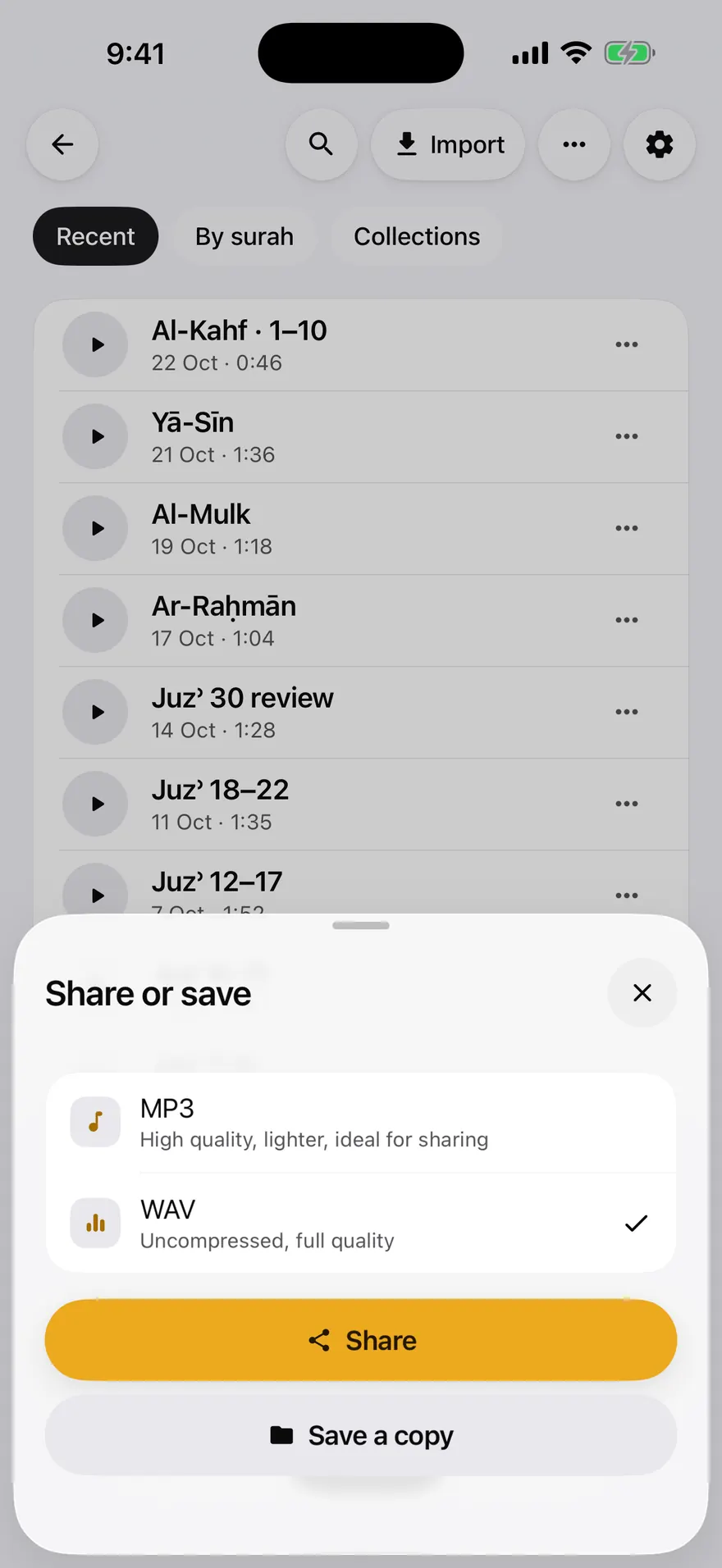
- Export as MP3 in a free Mode, or as 24-bit WAV with Pro.
- Import the file into your video editor and add visuals and subtitles.
MP3 or WAV
MP3 is smaller and fine for most social videos. WAV keeps the full quality and is better if you will keep editing the audio.
Add subtitles carefully
Copy the verse text from a reliable Mushaf and check it against the recited passage before publishing. Use your own recitation, or audio you have the right to use.
Frequently asked questions
Can Mubayyen make a Quran video with subtitles?
No. Mubayyen records and exports the recitation audio. You add images, animations and subtitles in a separate video editor.
Which audio format should I export?
MP3 is available in any free Mode. 24-bit WAV is available with Pro, for the best quality.
Can I use a famous reciter's audio in my video?
Mubayyen does not provide reciters' audio. Only use recitations you recorded yourself or that you have the right to use.
Try it in Mubayyen
Mubayyen is a Quran recitation app for iPhone, iPad, Mac and Android. Read the Mushaf, record your recitation, track your Khatma and share or save your Takes. No ads.